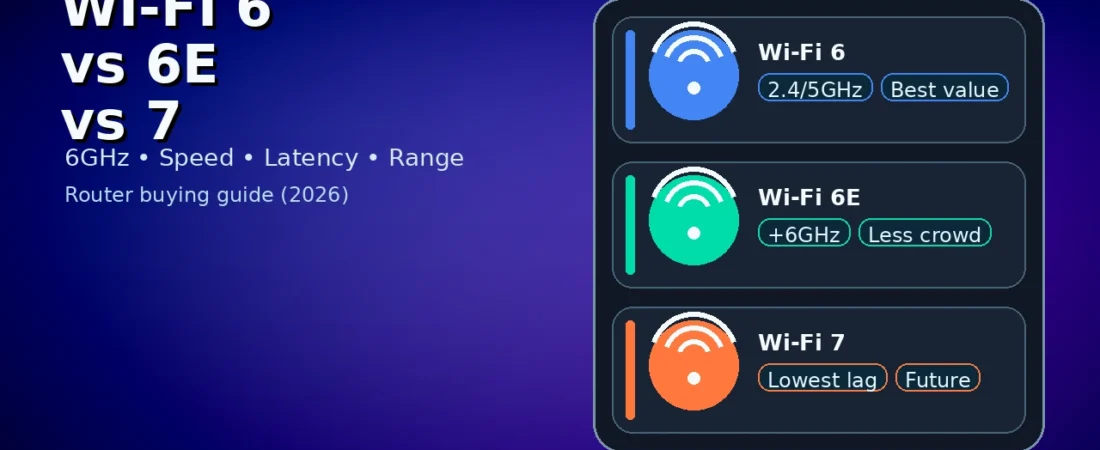
Wi-Fi 6 vs Wi-Fi 6e vs. Wi-Fi 7:
Table of Contents
Buying a new router in 2026 can feel confusing because the box is full of big numbers: AX, AXE, BE, 2402 Mbps, 4804 Mbps, “up to 9.6 Gbps,” “up to 46 Gbps,” and more. But your real experience depends on a few practical things: your home size, the number of devices, how congested your neighborhood Wi‑Fi is, and whether your phone/laptop actually supports the newer standard.
This guide explains wi-fi 6 vs wi-fi 6e vs wi-fi 7 in simple terms. You’ll learn what each standard adds, who should upgrade, and what to look for when buying a router so you don’t waste money.
Quick verdict (pick in 30 seconds)
If you just want the answer to wi-fi 6 vs wi-fi 6e vs wi-fi 7, use this:
- Buy Wi‑Fi 6 if you want a strong upgrade on a budget, your devices are mostly Wi‑Fi 5/6, and you don’t have severe congestion.
- Buy Wi‑Fi 6E if you live in a crowded area and you want the cleaner 6 GHz band for newer devices (especially for gaming and video calls).
- Buy Wi‑Fi 7 if you want the best latency and peak speeds, you have (or will soon have) Wi‑Fi 7 devices, and you want the most future‑proof router.
Now let’s break down wi-fi 6 vs wi-fi 6e vs wi-fi 7 properly.
1) First, what do these names mean? (AX, AXE, BE)
The marketing labels can help you decode routers:
- Wi‑Fi 6 is often labeled AX.
- Wi‑Fi 6E is often labeled AXE (the “E” means “Extended” into 6 GHz).
- Wi‑Fi 7 is often labeled BE.
So when you’re comparing wi-fi 6 vs wi-fi 6e vs wi-fi 7, remember:
- 6E is basically Wi‑Fi 6 + access to 6 GHz.
- Wi‑Fi 7 is a bigger upgrade that improves efficiency and latency.
2) The biggest difference: frequency bands (2.4 GHz, 5 GHz, 6 GHz)
A router can use different “lanes” (bands) to send data.
- 2.4 GHz: longer range, slower, more interference.
- 5 GHz: faster, shorter range, common for modern devices.
- 6 GHz: fastest and cleanest (less crowded), shortest range.
What each standard supports
- Wi‑Fi 6: 2.4 GHz + 5 GHz
- Wi‑Fi 6E: 2.4 GHz + 5 GHz + 6 GHz
- Wi‑Fi 7: 2.4 GHz + 5 GHz + 6 GHz (and better ways to use them)
This is why wi-fi 6 vs wi-fi 6e vs wi-fi 7 often comes down to whether you need the 6 GHz band.
3) Speed vs real speed: what you actually feel
Router boxes show “maximum” speeds, but real speed depends on:
- your internet plan
- distance from router
- walls and interference
- how many devices are active
- whether your device supports the standard
Important: Even Wi‑Fi 7 won’t make a 30 Mbps internet connection feel like 1 Gbps. What it can do is reduce local congestion and improve reliability.
When deciding wi-fi 6 vs wi-fi 6e vs wi-fi 7, think of these benefits:
- Wi‑Fi 6: better efficiency and multi‑device handling than Wi‑Fi 5
- Wi‑Fi 6E: less congestion (thanks to 6 GHz)
- Wi‑Fi 7: best efficiency + best latency + highest potential throughput
4) Latency: the hidden reason gamers and callers care
Latency is the delay between your action and what happens online. Low latency matters for:
- online gaming
- Zoom/Meet calls
- live streaming
- cloud gaming
If you’re comparing wi-fi 6 vs wi-fi 6e vs wi-fi 7, here’s the practical view:
- Wi‑Fi 6 can reduce lag compared to Wi‑Fi 5, especially with many devices.
- Wi‑Fi 6E can reduce lag in crowded areas because 6 GHz is cleaner.
- Wi‑Fi 7 aims to reduce latency further and keep it stable under load.
For many homes, Wi‑Fi 6E is already a big latency improvement if your 5 GHz channels are crowded.
5) Congestion and apartments: why 6E is popular
If you live in an apartment building, you may see 20–60 Wi‑Fi networks in range. That congestion creates drops during video calls, random speed dips, and buffering even on good internet.
Wi‑Fi 6E helps because:
- 6 GHz has more clean space
- fewer neighbors are using it
So for urban users, the decision wi-fi 6 vs wi-fi 6e vs wi-fi 7 often becomes: “Do I need 6 GHz right now?”
6) Range: the trade‑off you must understand (6 GHz is shorter)
6 GHz is faster and cleaner—but it doesn’t travel as far as 5 GHz and 2.4 GHz.
That means:
- In the same room, 6 GHz can be excellent.
- Through multiple walls, 6 GHz can weaken quickly.
Practical rule: If your router is far from your room, 6E/7 won’t magically fix range. For larger homes, mesh systems or extra access points matter more than the standard.
This is a key detail in wi-fi 6 vs wi-fi 6e vs wi-fi 7.
7) Multi‑device homes: why Wi‑Fi 6 was a big upgrade
Modern homes have many devices: phones, laptops, tablets, smart TVs, cameras, and smart home devices. Wi‑Fi 6 improved efficiency for many devices at once. So if you’re upgrading from Wi‑Fi 5, Wi‑Fi 6 can feel like a major stability upgrade.
For many people, wi-fi 6 vs wi-fi 6e vs wi-fi 7 starts with a simpler question: “Am I still on Wi‑Fi 5?” If yes, Wi‑Fi 6 is already a strong jump.
8) Do you even have Wi‑Fi 6E or Wi‑Fi 7 devices?
This is the most important money‑saving question.
If your devices don’t support 6E or 7, you won’t get the full benefit.
Easy device check
- Look up your phone model and confirm if it supports Wi‑Fi 6, Wi‑Fi 6E, or Wi‑Fi 7.
- On laptops, check the Wi‑Fi card model (Intel/Realtek) and see the supported standard.
Rule: When comparing wi-fi 6 vs wi-fi 6e vs wi-fi 7, your router should match your best devices.
9) Router specs that matter more than the Wi‑Fi version
People lose money because they buy based on “Wi‑Fi 7” but ignore the basics.
Look for:
- Processor and RAM: better routers handle more devices smoothly.
- Good antennas/design: affects stability and coverage.
- Gigabit or 2.5G Ethernet ports: useful if you have fast internet or NAS.
- Mesh capability: important for larger homes.
- Firmware support: stable updates improve security and performance.
Even in wi-fi 6 vs wi-fi 6e vs wi-fi 7, a strong Wi‑Fi 6 router can beat a cheap Wi‑Fi 7 router with weak hardware.
10) Wi‑Fi 6: who should buy it in 2026?
Choose Wi‑Fi 6 if you’re upgrading from Wi‑Fi 5, you want better multi‑device handling, and you want a budget-friendly router that feels stable.
That’s why, in wi-fi 6 vs wi-fi 6e vs wi-fi 7, Wi‑Fi 6 is still a smart choice.
11) Wi‑Fi 6E: who should buy it?
Choose Wi‑Fi 6E if you live in a crowded area, you have at least one 6E device, and you want cleaner channels for calls and gaming.
So for many buyers, wi-fi 6 vs wi-fi 6e vs wi-fi 7 becomes: Wi‑Fi 6E is the “sweet spot” upgrade if you have the right devices.
12) Wi‑Fi 7: who should buy it?
Choose Wi‑Fi 7 if you want the most future‑proof router, you plan to keep it 4–6 years, and you care about the best performance under load.
In wi-fi 6 vs wi-fi 6e vs wi-fi 7, Wi‑Fi 7 is the premium choice.
13) Mesh systems: often the real solution for large homes
If your problem is weak signal in a room far away, the Wi‑Fi version may not be the fix. A mesh system or an extra access point often solves coverage issues better.
So the smarter question than wi-fi 6 vs wi-fi 6e vs wi-fi 7 can be:
“Do I need better coverage or just a faster standard?”
If you need coverage, prioritize correct placement and, if possible, wired backhaul.
14) Buying checklist (decide in 60 seconds)
Use this checklist to finalize wi-fi 6 vs wi-fi 6e vs wi-fi 7:
- Do you have 6E/7 devices?
- Is your area crowded with Wi‑Fi?
- Is your home large (mesh needed)?
- Do you have fast internet (500 Mbps+)?
- Do you transfer large files locally?
15) Common myths (avoid these mistakes)
- Wi‑Fi 7 will not magically fix weak signal through walls.
- Wi‑Fi 6E isn’t always faster everywhere (range matters).
- Your internet speed is still limited by your ISP plan.
FAQs
- Upgrade from Wi‑Fi 5? Wi‑Fi 6 is a big improvement.
- Is Wi‑Fi 6E worth it? Yes if you have 6E devices and congestion.
- Is Wi‑Fi 7 worth it? Yes for future-proofing and Wi‑Fi 7 devices.
Final verdict
For most people in 2026:
- Wi‑Fi 6 is the best budget upgrade.
- Wi‑Fi 6E is the best clean‑channel upgrade.
- Wi‑Fi 7 is the premium future‑proof choice.
If you tell me your internet speed, how many devices you have, and whether your phone/laptop supports 6E or 7, I’ll recommend the best option in wi-fi 6 vs wi-fi 6e vs wi-fi 7 for your setup.
16) Which one should you buy? (real examples)
To make wi-fi 6 vs wi-fi 6e vs wi-fi 7 easier, here are common buyer scenarios:
Scenario A: Student + budget router
If you mainly browse, attend classes, and stream videos, a good Wi‑Fi 6 router is enough. In wi-fi 6 vs wi-fi 6e vs wi-fi 7, Wi‑Fi 6 wins on value.
Scenario B: Apartment with many neighbors
If you constantly face buffering and call drops because of congestion, Wi‑Fi 6E is a great upgrade. In wi-fi 6 vs wi-fi 6e vs wi-fi 7, Wi‑Fi 6E is the “clean channel” option.
Scenario C: Gaming + fast internet + many devices
If your home has many devices and you want the best stability under load, Wi‑Fi 7 makes sense. In wi-fi 6 vs wi-fi 6e vs wi-fi 7, Wi‑Fi 7 is the premium choice.
17) Final 3-line summary
- Value: Wi‑Fi 6
- Less congestion: Wi‑Fi 6E
- Future-proof + best performance: Wi‑Fi 7
That’s the simplest way to remember wi-fi 6 vs wi-fi 6e vs wi-fi 7.
18) Setup tips that improve results on any router (often overlooked)
No matter which router you buy, a few settings can improve stability more than people expect. These tips also help you get the real benefits of wi-fi 6 vs wi-fi 6e vs wi-fi 7:
A) Separate your SSIDs if band switching causes drops
Some routers use one Wi‑Fi name for 2.4/5/6 GHz. That can be convenient, but if a device keeps switching bands (and buffering), create separate names like:
- Home_2G
- Home_5G
- Home_6G (for 6E/7)
Then connect each device to the most suitable band.
B) Choose the right band for distance
- Far rooms: 2.4 GHz is often more stable.
- Same room / nearby: 5 GHz or 6 GHz gives higher speed.
C) Place the router correctly
Put the router high and central. Keep it away from metal cupboards, thick walls, and microwaves. Placement can outperform a “spec upgrade” in many homes.
D) Use Ethernet for fixed devices when possible
A smart TV, gaming PC, or console can benefit from Ethernet. This reduces Wi‑Fi congestion for phones and laptops.
E) Keep firmware updated
Router firmware updates can improve stability and security. A good router with updated firmware can feel better than a higher standard with outdated software.
19) Final advice
If you’re upgrading from Wi‑Fi 5, start with a solid Wi‑Fi 6 router unless your area is extremely congested. If you have at least one modern 6E/7 device and your neighborhood Wi‑Fi is crowded, Wi‑Fi 6E is a great sweet spot. If you want the most future-proof option and your devices can use it, Wi‑Fi 7 is the premium pick.
Some other GEEKMATREX Guides:
Intel vs AMD in 2026: Which CPU Is Better for Gaming, Work, and Budget Builds?
Android Optimization in 2026: Make Any Phone Faster, Smoother, and More Battery-Friendly
How to Remove Bloatware Safely on Android (No Root) — 2026 Step‑By‑Step Guide
“Fix High RAM Usage in Windows 11/10”
“Best Free Windows Optimization Tools (2026)”
Fix Android Wi-fi Keeps Disconnecting (2026): Causes + Step‑by‑Step Solutions That Work