Best O level Math Calculator 2026:
Table of Contents
As an academic who has successfully navigated the rigors of O-Level and A-Level qualifications, I understand that the tools you bring into the exam hall are just as critical as the knowledge in your head. If you are sitting for your O-Level Mathematics (4024) exams in 2026, you are operating in a highly competitive environment where time management is the difference between an A* and a B.
In my experience tutoring my younger brother, Ayan, for his O-Level preparation, I have seen firsthand how a slow or unintuitive calculator can lead to “panic errors” during Paper 2. Between coordinate geometry, complex statistics, and algebraic transformations, every second you save on manual arithmetic is a second you spend on solving the actual logic of the question. This guide is a deep-dive comparison of the best scientific calculators available in 2026, designed to help you make an informed decision for the 4024 syllabus.
The Evolution of the Scientific Calculator
The landscape of student technology has shifted significantly since late 2025. While the fundamental rules of the Cambridge 4024 syllabus remain strict—prohibiting graphing capabilities, symbolic algebra (CAS), and text storage—the hardware used to process these calculations has become faster and more display-centric. We are now seeing a transition from the “Button-Heavy” era of the early 2020s to a more “Menu-Driven” era that mimics modern smartphone interfaces.
At GeekMatrex, we evaluate these devices not just as plastic gadgets, but through the lens of Applied Physics and Computer Science. We look at processing speed, thermal durability (for those hot Lahore exam halls), and the UI logic that determines how many clicks it takes to get from a quadratic equation to a final root.
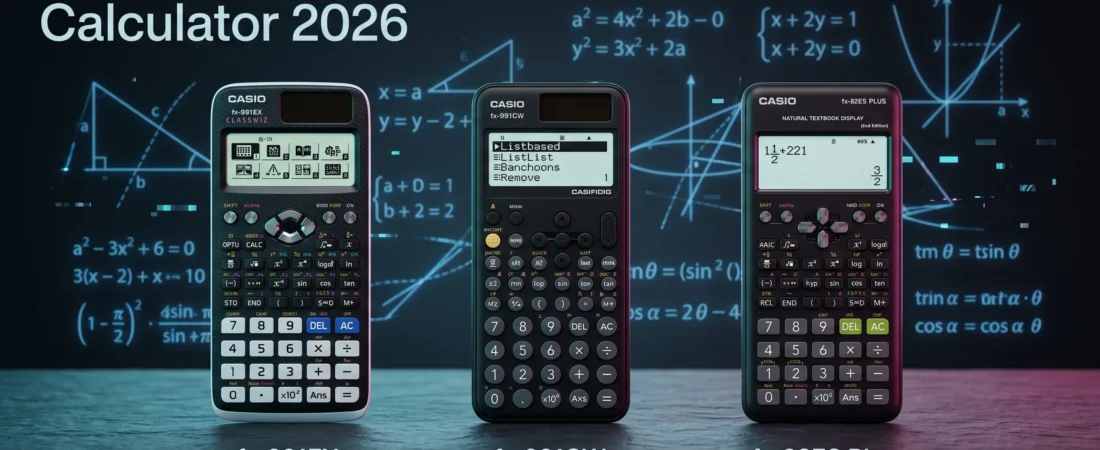
The Heavyweight Champion: Casio fx-991EX ClassWiz
Even in 2026, the Casio fx-991EX ClassWiz remains the primary recommendation for serious O-Level candidates. Although it has been officially succeeded by newer models, it is still widely available in Pakistan and is preferred by top-tier tutors for several technical reasons.
Technical Superiority
The fx-991EX was the first to introduce a high-resolution LCD that allowed for a “Natural Textbook Display”. This means that when you input a complex fraction or a square root, it looks exactly like the notation in your O-Level textbooks. For a student, this reduces “input error” significantly. When you can see your entire equation clearly, you are less likely to miss a bracket or a negative sign.
The Power of Equation Solving
One of the most powerful features allowed under the 4024 syllabus is the ability to solve equations directly. The 991EX allows you to solve quadratic, cubic, and simultaneous equations (up to 4 unknowns) with a few keystrokes. In Paper 2, where you might be asked to find the intersection of two lines or the roots of a parabolic curve in coordinate geometry, this feature acts as a vital “verification tool”. You still need to show your working for full marks, but knowing the answer is correct before you move on provides immense psychological confidence.
The Modern Challenger: Casio fx-991CW
The Casio fx-991CW is the latest generation of the ClassWiz family. It represents a total redesign of how students interact with math hardware.
Interface Design
The 991CW replaces the traditional icon-grid with a list-based menu system. It feels much more like navigating an app than a traditional calculator. While the screen is clearer and the font is easier to read under the dim lighting of an exam hall, there is a “learning curve” involved.
The Speed Paradox
While the internal processor of the 991CW is technically faster than the 991EX, the “Time to Answer” can sometimes be longer. This is because several functions that used to have dedicated buttons are now buried under the “Catalog” or “Tools” menus. As I often tell my brother Ayan during our tutoring sessions, “More clicks equal more time wasted”. If you choose the 991CW, you must spend at least a month practicing with the new menu layout to ensure your muscle memory is sharp for the exam.
The Reliable Middle-Ground: Casio fx-991ES Plus (2nd Edition)
Before the ClassWiz era, the 991ES Plus was the undisputed king of the O-Level circuit. It is still in production and remains a favorite for students who find the newer models too “digital” or complicated.
Familiarity and Robustness
The 991ES Plus uses a simpler, silver-and-blue design that many students find less intimidating. It still features the Natural Textbook Display, but its screen resolution is lower than the EX or CW models.
Processing Limits
Where you will notice the difference is in complex calculations. If you are trying to solve a large matrix or a highly complex statistical distribution, the 991ES Plus may take a noticeable second to “calculate”. While a one-second delay doesn’t sound like much, it can feel like an eternity in the middle of a high-pressure exam. However, for the standard 4024 syllabus, its speed is perfectly adequate.
The Budget Contender: Casio fx-82ES Plus
For many students, especially those just starting their O-Level journey, the 82-series is a common starting point. It is cheaper and more widely available than the 991-series.
The Major Disadvantage
The critical difference between the 82-series and the 991-series is the lack of an “Equation Mode”. On an 82ES Plus, you cannot plug in $a, b,$ and $c$ to get the roots of a quadratic equation instantly. You have to manually type out the entire quadratic formula: $x = \frac{-b \pm \sqrt{b^2 – 4ac}}{2a}$.
Is it Worth the Saving?
While the 82ES Plus is a solid machine, I generally advise against it for O-Level Paper 2. The amount of manual algebra required increases the risk of “silly mistakes”. If your budget allows, the upgrade to a 991-series is the best investment you can make for your academic career.
Advanced Techniques: Maximizing Your Calculator in Paper 2
Having the best calculator is only half the battle; you also need to know how to “hack” the syllabus using its features. Based on my work auditing candidate scripts and developing practice questions, here are three high-level techniques for the 4024 exam.
1. The Table Mode for Function Plotting
In coordinate geometry, you are often asked to plot a curve based on a function like $y = 2x^2 + 3x – 5$. Instead of manually calculating $y$ for every $x$ value, use the “Table” mode. Input the function, set your start and end points (e.g., -3 to 3), and set your step to 0.5 or 1. The calculator will provide a list of coordinates that you can simply copy onto your graph paper.
2. Verifying Recurring Decimals
A common question in the 4024 syllabus involves converting recurring decimals into fractions. If the question shows dots on both the 1 and the 7 (e.g., $0.\dot{1}\dot{7}$), ensure you are using the “Recurring Decimal” input feature if your model supports it. This allows you to check if your manually calculated fraction matches the decimal output of the calculator.
3. Simultaneous Equation Verification
In questions involving the intersection of two lines, you are essentially solving simultaneous equations. By using the “Equation” mode (Mode 5 on the 991EX), you can find the exact $(x, y)$ intersection point in five seconds. Even if the question asks for “algebraic working,” having the answer in advance allows you to work toward it without the fear of being wrong.
The Ethics of Calculator Use: Cambridge Rules for 2026
It is vital to stay within the legal boundaries of the Cambridge assessment rules to avoid disqualification. As of 2026, the following items are strictly prohibited in the 4024 exam hall:
- Graphing Screens: Any calculator that can physically draw a graph on its screen is banned.
- Symbolic Algebra (CAS): If your calculator can solve for $x$ without you providing numerical values for other variables (e.g., $2x + 3x = 5x$), it is prohibited.
- Communication Capabilities: Devices that can connect to the internet, Bluetooth, or infrared are strictly forbidden.
- External Storage: Calculators that allow you to upload text files or “cheat sheets” into the memory will be confiscated.
Always ensure your calculator has the “Approved” sticker if purchased from a local vendor in Lahore, and never bring the instruction manual into the exam room.
Maintenance and Reliability: The “GeekMatrex” Standard
Because I have a background in hardware management—troubleshooting everything from thermal performance in PCs to RAM compatibility—I apply the same rigor to calculators.
Battery Life and Solar Power
The 991-series calculators feature “Two-Way Power” (Solar + Battery). However, the solar panel is often just an assist. For a high-stakes exam, never rely on a 3-year-old battery. I recommend replacing the internal LR44 or AAA battery at the start of your exam season.
Heat and Durability
Calculators are made of plastic and use liquid crystal displays. If left in a car or a bag under the direct sun in Pakistan, the LCD can “bleed” or turn black temporarily. Always keep your calculator in its protective hard case when not in use.
Final Verdict: What should you buy for 2026?
For the Top-Tier Student: The Casio fx-991EX remains the winner. Its combination of dedicated buttons and high-speed equation solving makes it the most efficient tool for Paper 2. If you can find one in stock, do not hesitate to buy it.
For the Modern Tech-Savvy Student: The Casio fx-991CW is the future. It has the best screen and a very modern feel, but it requires significant practice to master the new menu-driven workflow.
For the Budget-Conscious Student: The Casio fx-991ES Plus (2nd Edition) provides all the mathematical power you need without the “ClassWiz” price tag, though it is slightly slower in terms of processing.
At the end of the day, a calculator is only as good as the person pressing the buttons. Whether you are solving simultaneous equations for O-Level math or analyzing thermal dissipation in an Applied Physics lab, focus on understanding the logic first. The calculator is there to handle the arithmetic; you are there to provide the brainpower.
Some other GEEKMATREX Guides:
The Ring 0 Conflict: Kernel-Level Anti-Cheat Explained (and Why Your PC Crashes)
Is Process Lasso Safe? The Truth About Bans, Viruses, and System Stability (2026 Review)
Stop Using Game Boosters: Why Process Lasso is the Only Tool You Need (2026 Guide)
Stop Your Phone Overheating: The Technical Guide to Fixing Android AI Battery Drain Fix (2026)
Stop CPU Core Parking: How to Unlock Ultimate Performance Windows 11 (Free Tool)
Intel vs AMD in 2026: Which CPU Is Better for Gaming, Work, and Budget Builds?
Android Optimization in 2026: Make Any Phone Faster, Smoother, and More Battery-Friendly
How to Remove Bloatware Safely on Android (No Root) — 2026 Step‑By‑Step Guide