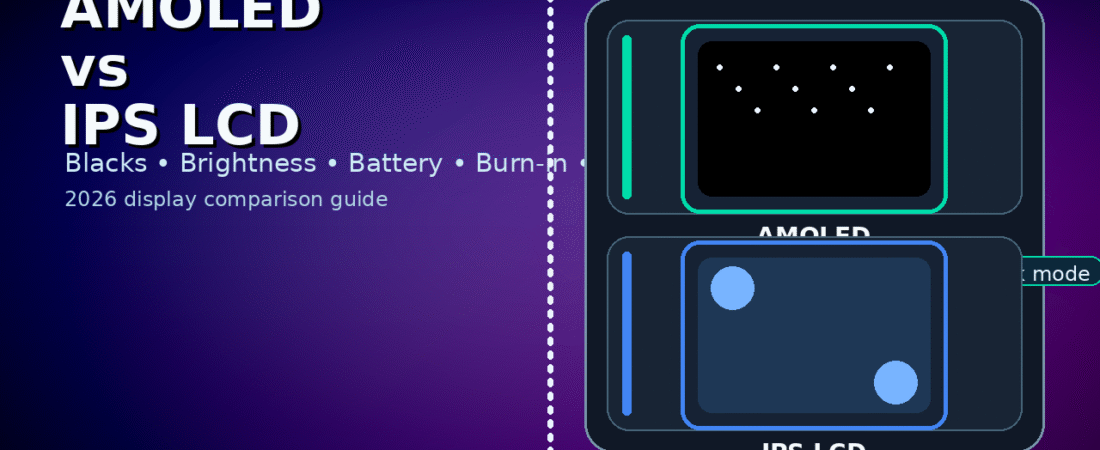
Amoled vs IPS LCD:
Table of Contents
A display is the part of a device you look at all day. It affects comfort, battery life, outdoor visibility, color accuracy, eye strain, and even how “fast” a phone feels. That’s why the amoled vs ips lcd decision matters more than people think—especially when you’re choosing between two devices that look similar on paper.
This guide explains the real differences in plain language, with practical advice for students, gamers, creators, and office users. You’ll learn how each display technology works, what to look for in specs and reviews, and which one fits your use case. By the end, you’ll have a simple checklist to pick the right screen in minutes.
Quick verdict (fast answer)
Here’s the simplest way to think about amoled vs ips lcd:
- Choose AMOLED if you want deep blacks, strong contrast, vibrant colors, and often better battery life on dark mode—especially for phones.
- Choose IPS LCD if you want consistent whites, strong color accuracy on many panels, and you prefer avoiding OLED burn‑in risk—especially for laptops/monitors.
There’s no universal winner. The best choice depends on your usage, brightness needs, and how long static content stays on your screen.
1) What is AMOLED?
AMOLED stands for Active‑Matrix Organic Light‑Emitting Diode. The key idea is simple: each pixel produces its own light. When a pixel is black, it can turn off completely.
That “pixel‑off” behavior is the biggest reason AMOLED looks so dramatic in dark scenes and why the amoled vs ips lcd debate is so common.
What AMOLED is great at
- True blacks and very high contrast
- Punchy colors that look impressive
- Dark UI themes that can save power
What AMOLED can struggle with
- Burn‑in risk (static elements over long periods)
- Some panels show tint at very low brightness
- PWM flicker on some devices (can bother sensitive users)
2) What is IPS LCD?
IPS LCD stands for In‑Plane Switching Liquid Crystal Display. IPS is a type of LCD designed to improve viewing angles and color performance.
Unlike AMOLED, an IPS LCD has a backlight. The pixels act like shutters that block or allow the backlight to pass through.
What IPS LCD is great at
- Stable, natural-looking whites
- Very good viewing angles (especially on quality IPS panels)
- No “pixel burn-in” like OLED
What IPS LCD can struggle with
- Blacks look more like dark gray (backlight can’t fully turn off)
- Lower contrast compared to AMOLED
- Less efficient in dark content (backlight stays on)
Understanding these basics makes the amoled vs ips lcd decision much easier.
3) Blacks, contrast, and movies: why AMOLED looks “richer”
If you watch Netflix, YouTube, or movies at night, you’ve probably seen the difference.
- AMOLED can turn pixels off, so blacks look truly black.
- IPS LCD must keep the backlight on, so blacks are usually grayish.
This is the #1 reason many people choose AMOLED in the amoled vs ips lcd debate.
Practical tip: If you love dark movies, horror scenes, or cinematic visuals, AMOLED usually wins.
4) Brightness and outdoor visibility: the myth and the truth
Many people assume AMOLED is always brighter. In reality, both can be bright, but it depends on the specific panel.
What matters most outdoors
- Peak brightness (nits)
- Anti-reflective coating
- Screen glass quality
- Automatic brightness behavior
Some IPS LCD screens can be excellent outdoors, and some AMOLED screens can be too dim in direct sunlight. So in amoled vs ips lcd, always check real outdoor brightness tests for the exact model.
Shortcut: If you use your phone a lot in sunlight, choose the display that has higher measured brightness and better reflections control—not just the display type.
5) Color accuracy: vivid vs natural
Color is where amoled vs ips lcd becomes personal preference.
AMOLED color behavior
AMOLED often looks more vivid. Many phones ship with “Vivid” mode turned on, which boosts saturation.
IPS LCD color behavior
IPS LCD often looks more natural out of the box, especially for whites and skin tones.
Best advice: If your device has display modes, switch to Natural/Standard if you want accurate colors—on either technology.
For designers and editors, accuracy is more important than “punch.” That’s why amoled vs ips lcd is not only about looks.
6) Eye comfort: PWM flicker, blue light, and fatigue
This is a big topic in 2026 because people spend hours on screens.
PWM flicker (important)
Some AMOLED panels use PWM dimming at lower brightness. Sensitive users may feel headaches or eye strain.
IPS LCD typically doesn’t use the same PWM method (though it can still flicker depending on implementation).
Blue light
Both can emit blue light. Use:
- night light / eye comfort mode
- warmer color temperature
- brightness control
Practical rule: If you get headaches on a phone, try testing it at low brightness for 5–10 minutes. In amoled vs ips lcd, this can be a deciding factor for sensitive users.
7) Burn-in: what it is and who should worry
Burn-in happens when static UI elements (status bar, navigation buttons, TikTok UI, game HUD) stay on screen for long periods and slowly leave a faint shadow.
AMOLED can get burn-in over time because pixels age differently.
IPS LCD does not have OLED burn-in (though it can have image retention sometimes, usually temporary).
Who should care most?
- People who keep brightness high all day
- Users who keep the same static app open (maps, dashboards)
- Gamers who play the same game with HUD for hours
Modern AMOLEDs are better than older ones, but burn-in is still part of amoled vs ips lcd reality.
8) Battery life: why dark mode can help AMOLED
AMOLED can save power when displaying black pixels, because those pixels can turn off.
IPS LCD uses a backlight, so dark mode doesn’t reduce backlight power as much.
What this means in real life
- On phones with AMOLED, dark mode can give small-to-moderate battery benefits.
- On IPS LCD phones, the battery gain from dark mode is usually smaller.
But remember: battery life also depends on chipset, refresh rate, and app usage. Still, battery is a real part of the amoled vs ips lcd decision.
9) Refresh rate (90/120/144Hz): not tied to display type
People sometimes think AMOLED means high refresh rate. Not always.
Both AMOLED and IPS LCD can support:
- 60Hz
- 90Hz
- 120Hz
- 144Hz (on some devices)
So in amoled vs ips lcd, refresh rate is a separate spec.
Tip: For smooth scrolling and gaming, 120Hz matters more than AMOLED vs IPS LCD. A 120Hz IPS LCD can feel smoother than a 60Hz AMOLED.
10) Response time and motion clarity
AMOLED pixels switch very fast, so motion can look crisp. IPS LCD also performs well, but often has slightly slower pixel response.
For gaming:
- Fast response reduces ghosting
- But overall gaming quality also depends on refresh rate and tuning
If you’re a competitive gamer, amoled vs ips lcd matters less than refresh rate + response + input latency together.
11) Viewing angles: both can be good, but quality varies
IPS was designed for strong viewing angles, and good IPS panels still perform very well.
AMOLED also has strong viewing angles, but some panels can show color shift at angles.
In real use:
- Both are fine for most people
- Quality depends on the exact panel
That’s why real reviews matter more than assuming one always wins the amoled vs ips lcd debate.
12) Phones: which display is better for most people?
For phones, AMOLED is popular because:
- deep blacks make UI look premium
- dark mode benefits battery more
- content consumption looks great
But IPS LCD phones can still be excellent if:
- they are bright outdoors
- they have accurate colors
- you want to avoid burn-in risk
So for phones, amoled vs ips lcd often depends on your priorities: visuals and dark mode (AMOLED) vs consistency and peace of mind (IPS).
13) Laptops and monitors: IPS LCD is still a strong standard
For laptops and monitors, IPS LCD is common because:
- color accuracy is often stable
- long static usage is normal (taskbars, UI)
- burn-in is not a concern like OLED
OLED laptops exist, and they look amazing, but burn-in risk is more relevant because people keep static UI elements on screen for hours.
So for productivity work, amoled vs ips lcd often leans IPS LCD—especially for students and office users who stare at documents all day.
14) Creators (designers, editors): what matters most
Creators should focus on:
- color accuracy (sRGB/Display P3 coverage)
- calibration
- consistent whites and gamma
- uniformity (no bright corners, no tint)
Both AMOLED and IPS LCD can be great for creators, but you should not buy based on the technology name alone.
Best tip: Look for reviews that measure color accuracy. In amoled vs ips lcd, a well‑calibrated panel beats a “fancy” panel with inaccurate colors.
15) Students: the best practical choice
Students usually need:
- good battery
- comfortable reading
- decent brightness
- long-term reliability
Both display types can work, but avoid extremes:
- Don’t buy a dim screen (hard outdoors)
- Don’t buy a low-resolution screen for reading
For students, amoled vs ips lcd should be decided by the overall device package, not only the screen type.
16) The buying checklist (decide in 60 seconds)
Use this checklist to choose the right display:
- Outdoor use? Choose the brighter display with better reflections control.
- Night movies and dark UI? AMOLED usually wins.
- Long static work (study/office)? IPS LCD can be safer.
- Sensitive eyes at low brightness? Test for flicker discomfort.
- Gaming? Prioritize refresh rate + stable performance.
- Creator work? Prioritize accuracy and reviews.
This checklist makes the amoled vs ips lcd decision practical.
17) Common myths (avoid these)
Myth 1: “AMOLED is always better”
Not true. A poor AMOLED can look worse than a great IPS LCD.
Myth 2: “IPS LCD is outdated”
Not true. High-quality IPS LCD is still excellent for productivity and accuracy.
Myth 3: “More nits always means better”
Brightness helps outdoors, but reflections and display tuning also matter.
Final verdict
The best display is the one that fits your routine. If you love deep blacks and dark mode, AMOLED is often the most enjoyable. If you want reliable long-term productivity with less burn‑in worry, IPS LCD can be the safer choice.
Which is better for battery: AMOLED vs IPS LCD?
AMOLED can save power on dark content. IPS LCD is more consistent but doesn’t benefit as much from dark mode.
Is burn‑in a real problem?
It can happen on AMOLED over long periods with static UI. Modern protections help, but heavy static use increases risk.
Which is better for gaming?
Both can be excellent. Refresh rate, cooling, and performance stability matter more than display type.
Some other GEEKMATREX Guides:
Intel vs AMD in 2026: Which CPU Is Better for Gaming, Work, and Budget Builds?
Android Optimization in 2026: Make Any Phone Faster, Smoother, and More Battery-Friendly
How to Remove Bloatware Safely on Android (No Root) — 2026 Step‑By‑Step Guide