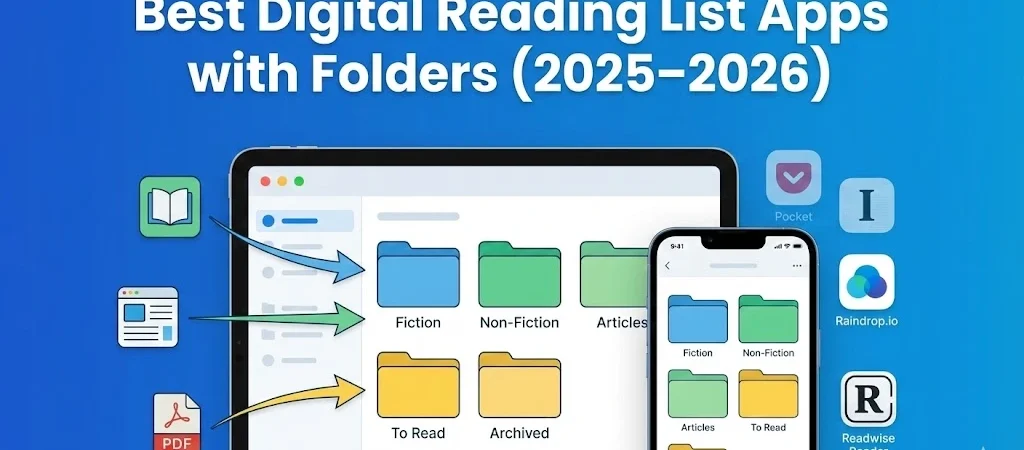
Best digital reading list apps with folders:
Table of Contents
In an era where digital content grows faster than we can read, a powerful reading organization system is no longer optional — it’s essential. Whether you’re a lifelong learner, student, writer, researcher, or avid reader, you need a solution that keeps your reading lists structured, searchable, and organized.
This guide explores the best digital reading list apps in 2025–2026 that offer strong organizational features like folders, groups, categories, tags, and collections — helping you turn chaos into clarity.
Why Reading Organization Matters More Than Ever
Before we dive into the apps themselves, let’s understand the challenge many of us face:
The Modern Reading Problem
- We save articles from browsers, newsletters, and social media.
- We bookmark research papers for projects or long-term reading.
- We juggle ebooks, audiobooks, PDFs, and offline files.
- We struggle to remember what we read or where we saved it.
Without folders, tags, or meaningful organization, your reading list becomes a digital storage dump — and that makes it harder to recall, reuse, or build on the knowledge you collect.
That’s where the right reading list app comes in — keeping topics separated, files sorted, and your library easy to navigate.
How to Choose the Best Reading List App in 2025–2026
A quality reading organizer should offer all or most of the following:
Folder, Group & Category Support
Allows you to create hierarchical structures like:
- Research → Biology → Genomics
- To-Read → Summer 2026 Books
- References → UX Design Articles
Tags & Metadata
Tags let you layer meaning onto content, making it easier to find later.
Cross-Platform Sync
Your reading list should sync seamlessly across phones, tablets, and desktops.
Highlights, Notes & Annotations
This turns passive reading into active learning.
Advanced Search & Filtering
Essential when your reading library grows into the hundreds or thousands of items.
The Best Digital Reading List Apps for 2025–2026
Below is a detailed look at the top tools that excel at structure and organization.
1. Basmo – Reading Tracker & Book Log App
Official site: https://basmo.app/
Basmo is one of the most complete reading organization tools for book lovers. It combines a reading tracker, book log, and custom collection system — all powered by folders, lists, and categories that you create.
Key Features
- Custom Collections: Create folders for genres, projects, or personal reading plans.
- Reading Progress: Track time, pages, and goals across books.
- Notes & Highlights: Keep your thoughts and quotes associated with each reading entry.
- Cross-Platform Sync: Works across web, mobile apps, and integrates with your reading devices.
Best For
Readers who love structure — especially those with large book lists or specific reading goals.
2. Instapaper – Read It Later with Organization
Official website: https://www.instapaper.com/
Instapaper remains a cornerstone of “read later” tools. While it focuses on article reading, it also provides solid organizational features.
Key Features
- Folder Organization: Sort saved articles into folders like “Work,” “Personal,” “Research,” etc.
- Tags (Limited): Add additional metadata to help you group content.
- Offline Access: Read anywhere, anytime — even without Internet.
- Reading Highlights: Mark important lines and come back to them.
Best For
Anyone who saves online articles or long-form content and prefers distraction-free reading with structural folders.
3. Raindrop.io – Bookmark Manager Meets Reading List
Official website: https://app.raindrop.io/
Raindrop.io is more than a bookmark manager — it’s a comprehensive content library for web pages, PDFs, videos, and more. Its focus on folders, nested collections, and visual organization makes it a top choice for serious readers of online material.
Key Features
- Nested Folders & Collections: Structure your library in multiple layers.
- Tags & Search: Powerful filtering and discovery tools.
- Visual Previews: See thumbnails of bookmarks.
- Cross-Platform Sync: Seamless support across devices and browsers.
Best For
People who collect articles, references, and resources from the web and want a visual, structured system.
4. Readwise Reader – Research-Focused Reading Organizer
Official Reader page: https://readwise.io/reader
Readwise Reader is designed for heavy readers, learners, and researchers. It brings together text from web articles, newsletters, PDFs, ebooks, and more into a unified reading hub.
Key Features
- Full-Text Save & Search: Store entire articles and PDFs.
- Tagging & Organization: Create folders and layers for complex libraries.
- Highlights Management: Centralized storage for all highlights and annotations.
- Integration: Sync notes to Notion, Obsidian, Evernote, etc.
Best For
Students, researchers, and knowledge workers who make notes, categorize deeply, and build personal knowledge libraries.
5. Feedly – News, Blogs & Topic-Based Reading
Official site: https://feedly.com/
Feedly is an advanced content aggregator and RSS reader that lets you organize topics and feeds into custom categories. While it’s not a traditional read-later tool, it’s extremely strong at keeping large amounts of topical content organized.
Key Features
- Feed Organization: Sort news sources, blogs, and research feeds into folders.
- Boards & Saved Articles: Save articles into collections for later reading.
- AI & Topic Tracking: Some plans offer trend insights and filtering.
- Multi-Platform Support: Access via web, mobile, and integrations.
Best For
Users who follow news sites, academic blogs, or industry content and need structural organization by topic.
| App | Folders/Collections | Tags | Sync | Highlights | Best For |
|---|---|---|---|---|---|
| Basmo | Yes | Yes | Yes | Yes | Book Organization |
| Instapaper | Yes | Limited | Yes | Yes | Article Read-Later |
| Raindrop.io | Yes | Yes | Yes | No | Bookmark Library |
| Readwise Reader | Yes | Yes | Yes | Yes | Research & Notes |
| Feedly | Yes | Boards | Yes | Limited | Topical Content |
How to Decide Which App Is Right for You
Here’s a quick idea based on user goals:
If You Read Mostly Books
Choose Basmo for structured lists and progress tracking.
If You Save Articles and Read Later
Choose Instapaper for streamlined article storage.
If You Collect Web Resources
Choose Raindrop.io for visual bookmarking and deep organization.
If You Research and Take Notes
Choose Readwise Reader for integrated highlights and tagging.
If You Follow News & Topics
Choose Feedly to categorize feeds and save important stories.
Tips For Organizing Your Digital Reading Lists
To get the most out of these apps:
Use a consistent folder structure
Good examples:
- Personal → 2026 Reads → Business
- Work → UX Research → Interviews
- Academic → Biology → Molecular Genetics
Tag across categories
Tags let you pick up alternative organization like:
- “urgent”
- “quote idea”
- “project-X”
- “must reread”
Review monthly
Clear old items or complete lists to keep your system tidy.
Integrate with note apps
If your app supports it, link your reading list to note databases like Notion or Obsidian.
Final Thoughts
Organizing what you read is just as important as reading itself. In 2025–2026, the tools above represent the most powerful and flexible options for building structured digital reading lists with folders, categories, and organization that matches how you think.
From dedicated book log apps like Basmo to research hubs like Readwise Reader and web content libraries like Raindrop.io, there’s a tool for every reader and every workflow.
What is the best digital reading list app with folders in 2026?
Some of the best digital reading list apps with folders in 2026 include Basmo, Instapaper, Raindrop.io, Readwise Reader, and Feedly. The best choice depends on whether you organize books, articles, or research materials.
Which reading app allows folders and tags?
Apps like Raindrop.io, Readwise Reader, Basmo, and Instapaper allow users to organize reading materials using folders, collections, and tags for better structure.
Are there free reading list apps with categories?
Yes. Instapaper, Feedly, and Raindrop.io offer free plans that include folder or category organization features. Advanced tagging and integrations may require paid plans.
What is the best app to organize research articles?
Readwise Reader and Raindrop.io are excellent for organizing research articles. They offer tagging systems, folders, and search features for managing large content libraries.
Best Digital Reading List Apps with Folders for Different Needs
- Best for Book Lovers: Basmo
- Best for Saving Articles: Instapaper
- Best for Bookmark Organization: Raindrop.io
- Best for Researchers: Readwise Reader
- Best for News Readers: Feedly
Some other GEEKMATREX Guides:
Stop Using Game Boosters: Why Process Lasso is the Only Tool You Need (2026 Guide)
Stop Your Phone Overheating: The Technical Guide to Fixing Android AI Battery Drain Fix (2026)
Zero-Cost Performance: The Definitive Free Gaming PC Optimization Guide (2026)
Intel vs AMD in 2026: Which CPU Is Better for Gaming, Work, and Budget Builds?
Android Optimization in 2026: Make Any Phone Faster, Smoother, and More Battery-Friendly
How to Remove Bloatware Safely on Android (No Root) — 2026 Step‑By‑Step Guide
“Fix High RAM Usage in Windows 11/10”
“Best Free Windows Optimization Tools (2026)”
Fix Android Wi-fi Keeps Disconnecting (2026): Causes + Step‑by‑Step Solutions That Work