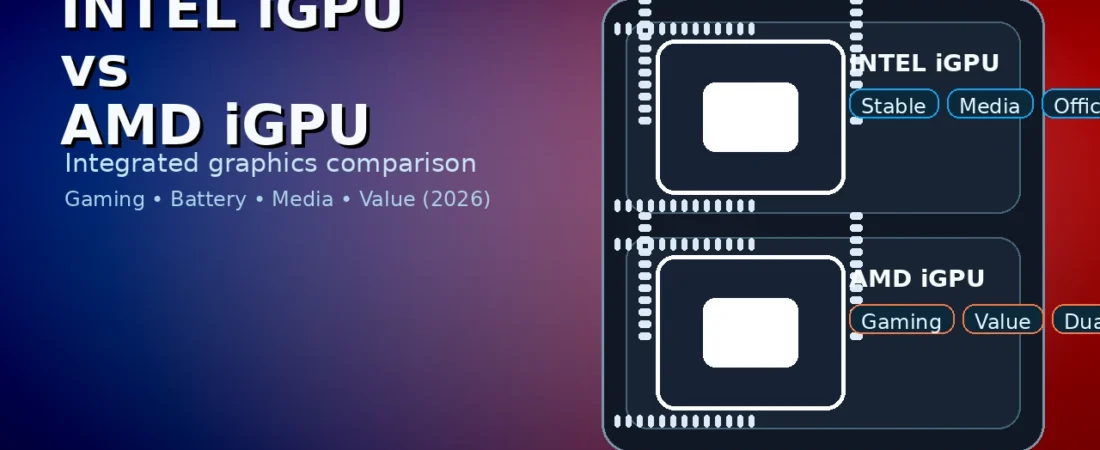
intel igpu vs amd igpu
Table of Contents
Integrated graphics are no longer “only for office PCs.” In 2026, an iGPU can handle esports gaming, 4K video, creative apps, and even light content creation—if you pick the right platform and pair it with the right RAM. But the big question remainsIntel iGPUpu vs AMD iGPU—which one should you choose?
This guide is written for normal buyers: students, budget builders, and anyone buying a laptop or PC without a dedicated GPU. We’ll compare performance, drivers, media features, battery life, RAM requirements, and real use cases—then end with a simple checklist so you can decide fast.
Quick verdict (fast answer)
Here’s the shortest way to understand Intel iGPU vs AMD iGPU:
- AMD iGPU is usually the better choice for gaming performance on integrated graphics, especially when paired with fast dual‑channel RAM.
- Intel iGPU is often the better choice for everyday stability, wide laptop availability, and strong media/office workflows, and it can still game well in lighter titles.
But the “best” depends on your device type (laptop vs desktop), your software, and your budget. Let’s break it down properly.
1) What is an iGPU (and why it matters)?
An iGPU (integrated GPU) is the graphics engine built into the processor package. It shares system memory (RAM) instead of having its own dedicated VRAM like a discrete graphics card.
That one fact explains a lot of the intel igpu vs amd igpu story:
- RAM speed and dual‑channel memory matter a lot.
- Cooling and power limits matter (especially in laptops).
- You can’t expect the same performance as a midrange dedicated GPU—but you can get surprisingly close for light gaming.
2) Performance: Gaming is where the gap usually shows
If your main question is AMD iGPUIntel iGPU vs amd igpu becomes very practical.
AMD iGPU gaming (typical strengths)
AMD integrated graphics have a strong reputation for:
- Better esports performance at 1080p low/medium settings
- smoother frame rates in many modern engines
- stronger performance scaling with faster RAM
For budget builds that rely on the iGPU, AMD often gives more “frames per rupee.”
Intel iGPU gaming (typical strengths)
Intel integrated graphics can still be very good for:
- lighter games and esports titles
- older games that run well on modest GPU power
- stable day-to-day performance when gaming isn’t your priority
The real truth: in Intel iGPU vs AMD iGPU, your results depend heavily on RAM and power settings—especially on laptops.
3) The #1 hidden factor: RAM configuration (dual-channel is king)
If you only remember one tip from this Intel iGPU vs AMD iGPU guide, remember this:
✅ Dual‑channel RAM can be the difference between “playable” and “laggy.”
Because iGPUs borrow system RAM, bandwidth becomes a bottleneck.
What to do (simple rules)
- Prefer dual‑channel (2×8GB instead of 1×16GB, when possible).
- Prefer faster RAM (within what your platform supports).
- Avoid single‑stick RAM if you plan to game.
This helps both Intel and AMD, but it often boosts AMD iGPU performance even more, which is why RAM is cenAMD iGPUIntel iGPU vs amd igpu.
4) Laptops: power limits can change everything
Laptop performance is not only about the chip; it’s also about the laptop.
Two laptops with the “same” CPU can perform differently because of:
- cooling design
- power limits
- BIOS settings
- manufacturer tuning
That means Intel iGPU vs amd igpu in laptops should always include the exact laptop model and reviews. A well‑cooled Intel laptop can beat a poorly‑cooled AMD laptop, and vice versa.
Practical laptop advice
- If you want iGPU gaming, choose a laptop known for good cooling.
- Make sure it has dual‑channel RAM or upgradeable memory.
- Don’t buy a thin laptop expecting sustained gaming.
5) Desktop PCs: upgrades and flexibility change the decision
On desktops, Intel iGPU vs AMD iGPU is often about the plan:
- Do you want to add a GPU later?
- Do you want the iGPU mainly for display and troubleshooting?
- Do you want a “no-GPU” budget gaming build?
If you plan to add a dedicated GPU later
In that case, the iGPU matters less for gaming and more for:
- basic display output
- troubleshooting if your main GPU fails
- media playback
So for many desktop buAMD iGPUIntel iGPU vs amd igpu becomes a price/platform decision rather than a gaming decision.
6) Media engine: 4K streaming, video playback, and encoding
A lot of people don’t buy a GPU for gaming—they buy a PC for YouTube, Netflix, lectures, and video calls. In that case, Intel iGPU vs AMD iGPU depends on media features:
- 4K playback smoothness
- hardware decoding support
- hardware encoding for recording and video exports
Why media matters
- Smooth 4K playback reduces CPU load and heat.
- Hardware encoding improves performance when exporting videos or recording the screen.
In real life, both Intel and AMD are strong for media playback on modern systems, but your app and driver support can decide which feels smoother.
7) Productivity: Office, browsing, multitasking
For everyday, Intel iGPU vsAMD iGPUu is usually smaller than people think.
Most office workloads are CPU and RAM limited—not GPU limited.
If your tasks are:
- Word/Docs
- Excel/Sheets
- browsing with many tabs
- online meetings
…both iGPU options are generally fine. You’ll feel bigger improvements from:
- 16GB RAM
- an NVMe SSD
- a good battery/cooling design (laptops)
Still, iGPU drivers can affect stability in certain apps, so reliable updates matter.
8) Creative work: light editing, Photoshop, Premiere, Canva
If you do light content creation, Intel iGPU vs AMD iGPU depends on the workload.
Good iGPU use cases
- basic photo edits
- 1080p video editing (light timelines)
- YouTube thumbnails
- screen recording
Where iGPUs struggle
- heavy 4K editing with lots of effects
- large 3D projects
- Complex After Effects work
If you do creator work daily, a dedicated GPU still helps. But for students and beginners, iGPU systems can be enough—especially if you optimize your workflow.
9) Drivers and stability: your “daily experience.”
Drivers can make a good iGPU feel bad. InIntel iGPUu vs AMD iGPU, driver quality affects:
- game compatibility
- app stability
- performance consistency
Realistic expectations
- Both Intel and AMD update drivers regularly.
- Some laptop brands delay driver updates or ship older versions.
Tip: If you buy a laptop, prefer models with good support and regular updates. For desktops, installing the latest official drivers is easier.
10) Battery life: Which iGPU is more efficient?
Battery life depends on the whole laptop—not just the iGPU:
- screen brightness and panel type
- battery size
- CPU efficiency
- background apps
So you can’t decide between Intel iGPU, pure AMD iGPU, Intel iGPU vs amd igpu. Still, the prAMD iGPUrule is:
- Choose the laptop with better real-world battery reviews
- avoid high-performance modes unless needed
- Use balanced power settings
11) Best choice by user type (simple recommendations)
Here’s the most useful part of this Intel iGPU vs AMD iGPU guide.
A) Students (study + light gaming)
- If you want esports gaming without a GPU, AMD iGPU setups often deliver better gaming value.
- If you want a laptop mainly for classes, meetings, and battery, choose the best overall laptop model—even if it’s Intel.
B) Budget gamers (no dedicated GPU)
If you want gaming on integrated grAMD iGPUIntel iGPU vs amd igpu usually favors AMD—but only with dual‑channel RAM.
C) Office users
Pick based on price, warranty, and battery life. For office work, both iGPU options are fine.
D) Creators (light editing)
If your editing is light and you want a GPU-free setup, choose the system that offers:
- 16GB+ RAM
- fast SSD
- stable drivers
E) Desktop builders who will add a GPU later
If you plan to buy a dedicated GPU later, focus on platform and CPU value. The iGPU becomes a bonus for display and troubleshooting.
12) Buying checklist (decide in minutes)
Use this checklist toAMD iGPUIntel iGPU and Intel iGPU quickly:
- Will you game on the iGPU? If yes, prioritize AMD iGPU + dual‑channel RAM.
- Is it a laptop? If yes, check reviews for cooling and battery.
- Is RAM upgradeable? If not, buy dual‑channel from day one.
- Do you do video editing/recording? Check hardware encoding support in your apps.
- Will you add a GPU later? If yes, pick the best CPU/platform deal.
13) Common myths (avoid these)
Myth 1: “All iGPUs are the same.”
No. Architecture, clocks, and memory bandwidth can create big gaps.
Myth 2: “RAM speed doesn’t matter.r”
For iGPUs, RAM speed and dual-channel often matter a lot. This is a key reason the intel igpu vs amd igpu debate is not just about the chip.
Myth 3: “If it can run a game, it will run it well.ll”
Some games launch but feel stuttery. Use realistic settings: 1080p low or 900p for smoother gameplay.
14) Best settings for iGPU gaming (easy optimizations)
If you’re gaming on integrated graphics, small tweaks make a big difference:
- Use the right resolution: If 1080p low stutters, try 900p or 720p for smoother gameplay.
- Enable upscaling if the game offers it: Many titles offer dynamic resolution or built‑in upscaling.
- Cap FPS for stability: A stable 45–60 FPS often feels better than an unstable 70–90 FPS.
- Use “Performance” power mode while plugged in: On laptops, performance modes can raise power limits.
- Close background apps: Browsers with many tabs, screen recorders, and heavy launchers reduce FPS.
15) Recommended specs for a smooth iGPU PC (2026 baseline)
If you want a system that feels fast today and stays usable for years, aim for:
- RAM: 16GB minimum (dual‑channel preferred)
- Storage: 512GB SSD minimum (NVMe preferred)
- Cooling: choose a laptop with good thermals or a desktop case with airflow
- Wi‑Fi: stable Wi‑Fi is important for cloud apps, updates, and online games
For students and office users, these specs matter more than chasing the “highest iGPU.”
16) When you should buy a dedicated GPU instead
An iGPU is great, but it isn’t the best tool for every job. Consider a dedicated GPU if you:
- play AAA games at high settings regularly
- want stable 1440p gaming without compromises
- edit 4K video with heavy effects
- do 3D work or professional rendering
If you only play esports titles and do normal productivity, an iGPU system can be a smart money saver.
Final thoughts
In 2026, integrated graphics can be genuinely useful. The best choice depends on your priorities:
- If gaIntel iGPUPU mAMD iGPUintel igpu vs amd igpu often favors AMD when RAM is configured correctly.
- If you care more about everyday stability, laptop availability, and balanced usage, Intel iGPU laptops can be an excellent pick.
If you tell me your budget, whether you’re buying a laptop or desktop, and the games/apps you use most, I’ll recommend the best iGPU direction for your exact needs (plus a simple RAM/SSD plan).
1) Which is better for gaming on integrated graphics?
In most cases, AMD iGPU systems offer better gaming performance, especially with fast dual‑channel RAM. Still, model and laptop cooling can change outcomes.
2) Is dual‑channel RAM crucial?
Yes. For iGPU systems, dual‑channel memory often gives a noticeable FPS boost and smoother gameplay.
3) Can I do video editing on an iGPU?
Yes for light 1080p editing and basic exports. Heavy 4K projects or complex effects benefit from a dedicated GPU.
4) Is Intel’s iGPU bad for gaming?
Not necessarily. Intel iGPU can run many esports and lighter games well. The bigger limitation is usually RAM bandwidth and laptop power limits.
Some other GEEKMATREX Guides:
Intel vs AMD in 2026: Which CPU Is Better for Gaming, Work, and Budget Builds?
Android Optimization in 2026: Make Any Phone Faster, Smoother, and More Battery-Friendly
How to Remove Bloatware Safely on Android (No Root) — 2026 Step‑By‑Step Guide