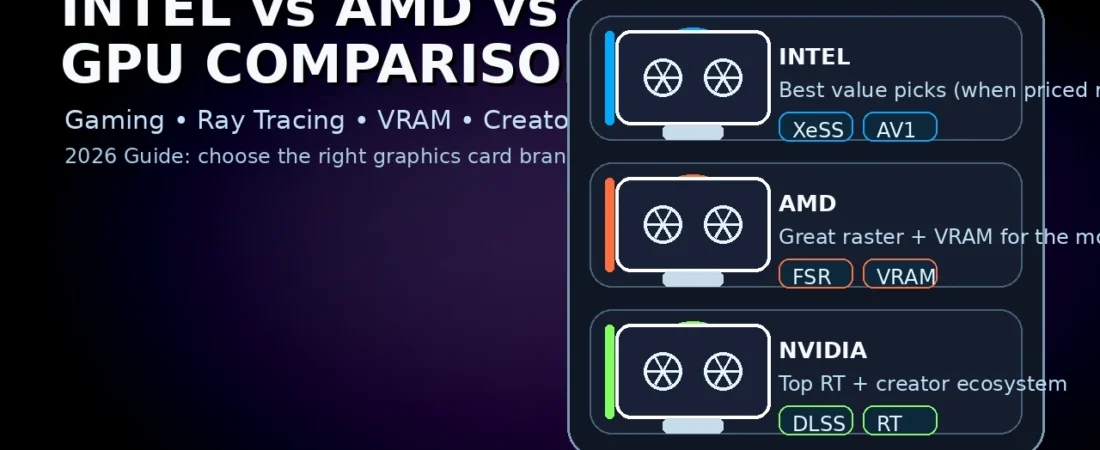
Intel vs AMD vs Nvidia GPU:
Table of Contents
Buying a graphics card in 2026 feels harder than it should. Prices move fast, model names are confusing, and every brand claims the “best performance.” The truth is simpler: the right GPU depends on what you do, the resolution you play at, your power supply, and which features you actually use.
This guide is a practical Intel vs AMD vs NVIDIA GPU comparison for gamers, students, creators, and budget builders. We’ll cover real-world differences—drivers, ray tracing, upscaling, creator tools, power efficiency, and value—so you can buy confidently without memorizing 50 model numbers.
Quick verdict (read this first)
Here’s the fastest way to think about an intel vs amd vs nvidia gpu decision:
- NVIDIA is usually the safest pick if you care about top-tier ray tracing, wide creator app support, and a very mature ecosystem.
- AMD often wins on raw raster performance per rupee/dollar and tends to be strong for gaming value, especially at higher VRAM tiers.
- Intel (Arc) is the “smart bargain” option when priced aggressively, and it keeps improving—especially for modern games and budget builds.
But “usually” isn’t “always.” Let’s compare what matters.
1) The core difference: what you’re really buying
When you choose between brands, you’re not just buying hardware. You’re buying a full stack:
- the GPU silicon (cores, memory bus, cache)
- The driver quality and update pace
- the upscaling tech you’ll rely on
- game optimizations and stability
- creator features (encoding, color workflows, compute)
That’s why a proper Intel vs AMD vsNvidia GPUu guide must talk about the ecosystem, not just FPS.
2) Gaming performance: raster vs ray tracing
Gaming performance has two big categories.
A) Raster performance (traditional FPS)
Raster is “normal” rendering—the FPS you see in most games without heavy ray tracing.
- If your priority is high FPS at 1080p/1440p in esports and AAA games, both AMD and Nvidia can deliver excellent results depending on the price tier.
- Intel can also perform well in many modern titles, but the value depends heavily on pricing and driver maturity for older games.
In many price segments, the intel vs amd vs nvidia gpu winner is simply the one with the best discount in your market.
B) Ray tracing performance
Ray tracing improves lighting and reflections, but it’s demanding.
- NVIDIA has historically been strong here, especially when you push heavy RT effects.
- AMD ray tracing has improved a lot and can be very playable—especially if you pair it with upscaling.
- Intel supports ray tracing, too, and newer RT-focused titles can run well, but it can be more sensitive to driver/game combinations.
If ray tracing is your main goal, the brand choice in an intel vs amd vs nvidia gpu comparison matters more.
3) Upscaling: DLSS vs FSR vs XeSS (why it changes your FPS)
Modern gaming often depends on upscaling. Instead of rendering at full resolution, the GPU renders lower and upscales to look sharp while boosting FPS.
- DLSS (Nvidia) is widely supported and often delivers excellent image quality and performance.
- FSR (AMD) is open and works across many GPUs; quality varies by version and game implementation.
- XeSS (Intel) works on Intel GPUs and also supports other brands in many titles.
This is a huge part of the intel vs amd vs nvidia gpu debate because, in real games, upscaling can turn “unplayable” into “smooth.”
Practical tip: If you play at 1440p or 4K, you will probably use upscaling sometimes. That makes the brand ecosystem important.
4) VRAM: the silent deal-breaker
VRAM (video memory) decides whether your GPU can handle modern textures, higher resolutions, and some creator workloads.
- More VRAM helps in newer AAA games, high-resolution texture packs, and modded games.
- VRAM also matters for tasks like video editing timelines, 3D scenes, and AI workloads.
So,o in anIntell vs AMD vs Nvidia GPU choice, don’t compare only “FPS.” Compare VRAM + price for the games you actually play.
5) Drivers and stability: the “daily experience” factor
A GPU that is fast but unstable is not a good GPU.
- NVIDIA is known for mature drivers and strong day-one support in many big releases.
- AMD drivers are generally solid today and have improved greatly over the years; occasional edge-case issues still happen, like with any complex software.
- Intel has made huge progress, but the reality is that Intel’s Arc platform is newer, so performance and stability can vary more, especially in older titles.
For many people, the intel vs amd vs nvidia gpu decision comes down to how much risk you’re willing to tolerate versus how much you want to save.
6) Creator workloads: video editing, 3D, design, and AI
Gaming is only half the story. Many buyers also edit videos, do 3D work, or stream.
Video editing and exporting
What matters:
- hardware encoders (for H.264/H.265 and sometimes AV1)
- timeline smoothness
- plugin compatibility
NVIDIA often has broad support in creator apps, while AMD and Intel can be excellent too—especially when the app supports modern encoders and the GPU has enough VRAM.
3D rendering and creative apps
Some workflows depend heavily on GPU compute and the ecosystem around it. In an intel vs amd vs nvidia gpu comparison for creators, you should check your app’s GPU support list and community experience.
AI and compute
AI workloads can be very sensitive to the software ecosystem. If you plan to do AI locally, the brand choice in an intel vs amd vs nvidia gpu discussion becomes more important than in pure gaming.
7) Streaming and recording: encoder quality matters
If you stream or record gameplay, GPU encoders matter as much as FPS.
- A good hardware encoder means smoother streams with less CPU load.
- Support for modern codecs like AV1 can improve quality at lower bitrates.
This is another area where “ecosystem” shapes the Intel vs AMD vs NVIDIA GPU experience more than raw performance.
8) Power efficiency and cooling: performance that you can actually sustain
Two GPUs can have similar FPS, but one might:
- draw more power
- run hotter
- Need a bigger cooler
- require a stronger PSU
That affects the total build cost and noise.
In an intel vs amd vs nvidia gpu decision, check:
- Your power supply wattage and quality
- case airflow
- GPU size (will it fit?)
- your noise tolerance
Sometimes the “cheaper GPU” becomes expensive if you must upgrade your PSU or case.
9) Price-to-performance: how to compare the right way
Don’t compare only the GPU price. Compare platform cost:
- GPU price
- PSU upgrade cost (if needed)
- monitor/resolution target
- whether you’ll rely on upscaling
A smart Intel vs AMD vs Nvidia GPU buyer uses these rules:
- For 1080p esports: don’t overspend; a midrange GPU is often enough.
- For 1440p: value matters; VRAM starts becoming more important.
- For 4K: you usually want higher-tier GPUs and upscaling support.
10) Best brand by user type (practical recommendations)
Here’s the most useful part of this Intel vs AMD vs NVIDIA GPU guide.
A) Competitive gamers (1080p/240Hz)
- Prioritize consistent FPS, low latency, and stable drivers.
- Spend wisely: the GPU must match your CPU and monitor.
B) AAA gamers (1440p high settings)
- Focus on VRAM, raster performance, and upscaling.
- Ray tracing is optional—use it if you value visuals.
C) 4K gamers
- Upscaling becomes normal, not optional.
- Cooling and PSU matter more.
D) Creators (editing + 3D)
- Pick the GPU that your apps support best.
- Prioritize VRAM if you work with heavy projects.
E) Budget builders
- Look for the best deal, not the loudest brand.
- Intel can be great if priced right; AMD often offers strong value; Nvidia can be worth it if you need its ecosystem.
A good Intel vs AMD vs Nvidia GPU decision is always “use-case first.”
11) Simple buying checklist (use this before you pay)
Use this checklist to make your Intel vs AMD vs NVIDIA GPU choice in minutes:
- What resolution do you play? 1080p / 1440p / 4K
- Do you care about ray tracing? Yes / No
- Will you use upscaling? Likely at 1440p/4K
- How much VRAM do your games/projects need?
- Do you stream or create content? Encoder support matters
- What PSU and case do you have? Power and size limits
- What’s the best deal today? Price often beats brand
12) Common myths to ignore
Myth 1: “Brand X is always the best.”
Every generation and every price tier changes the story. That’s why intel vs amd vs nvidia gpu arguments without price context are usually wrong.
Myth 2: “Ray tracing is useless.”
Ray tracing can look amazing, but it costs performance. If you don’t care about visual upgrades, turn it off and save money.
Myth 3: “More FPS is everything.”
Stability, drivers, VRAM, and noise are part of the real experience.
13) Laptops: the brand matters, but the laptop matters more
For laptops, you can’t judge a GPU only by the brand or the model name. Laptop graphics often run at different power limits depending on the manufacturer’s design. This laptop section completes the intel vs amd vs nvidia gpu decision for portable buyers.
Here’s what to check before you buy:
- GPU power (TGP/TDPTwo laptops with the “same GPU” can deliver different FPS.
- Cooling design: thin laptops may throttle under long gaming sessions.
- MUX switch / Advanced Optimus (if present): can improve gaming performance by routing the display directly to the discrete GPU.
- Battery and portability: powerful GPUs can reduce battery life if you game unplugged.
If you’re a student buying a laptop, prioritize a well-reviewed model with strong cooling and a balanced CPU. A stable laptop is worth more than chasing a small benchmark win.
14) The used market: when buying second-hand makes sense
If your budget is tight, the used market can offer great value—but you must be careful.
Before buying a used GPU:
- Ask for a stress test video (temperatures + fan noise).
- Check warranty status if possible.
- Inspect for physical damage and signs of repair.
- Avoid cards used for heavy mining unless you trust the seller and the card tests clean.
A used GPU is a good idea when it saves enough money that you can also afford a quality PSU and better airflow.
15) Three simple “buying mistakes” to avoid
- Ignoring your monitor: Buying a high-end GPU for a 60Hz 1080p monitor is often wasted money.
- Underspending on the PSU: A cheap or weak power supply can cause instability and can damage components.
- Forgetting total system balance: A powerful GPU paired with too little RAM or a slow SSD will still feel slow in daily use.
If you avoid these three mistakes, your upgrade will feel much bigger—even if you don’t buy the “top” model.
16) Final recommendation template (copy this)
If you want a quick recommendation, answer these four lines:
- Budget:
- Resolution (1080p/1440p/4K):
- Games/apps you use most:
- PSU wattage and model:
With just that, you can get a confident recommendation without getting lost in brand wars.
Final thoughts
The smartest GPU buyers don’t pick brands—they pick fit. Think about your resolution, your games, your apps, and your total PC budget. Then compare real prices in your market.
Q1) Which is best overall?
There’s no universal winner. The best GPU is the one that fits your budget, resolution, and software needs. That’s the point of a real intel vs amd vs nvidia gpu guide.
Q2) Should I buy based on VRAM alone?
No, but VRAM is a deal-breaker if it’s too low for your target games/settings.
Q3) Is Intel good for gaming now?
Intel has improved a lot, especially in modern titles, but older games can be more hit-or-miss. Value pricing matters.
Q4) What’s the best strategy for a budget PC?
Buy the best deal in your region, avoid overspending at 1080p, and prioritize a balanced system.
Some other GEEKMATREX Guides:
Intel vs AMD in 2026: Which CPU Is Better for Gaming, Work, and Budget Builds?
Android Optimization in 2026: Make Any Phone Faster, Smoother, and More Battery-Friendly
How to Remove Bloatware Safely on Android (No Root) — 2026 Step‑By‑Step Guide