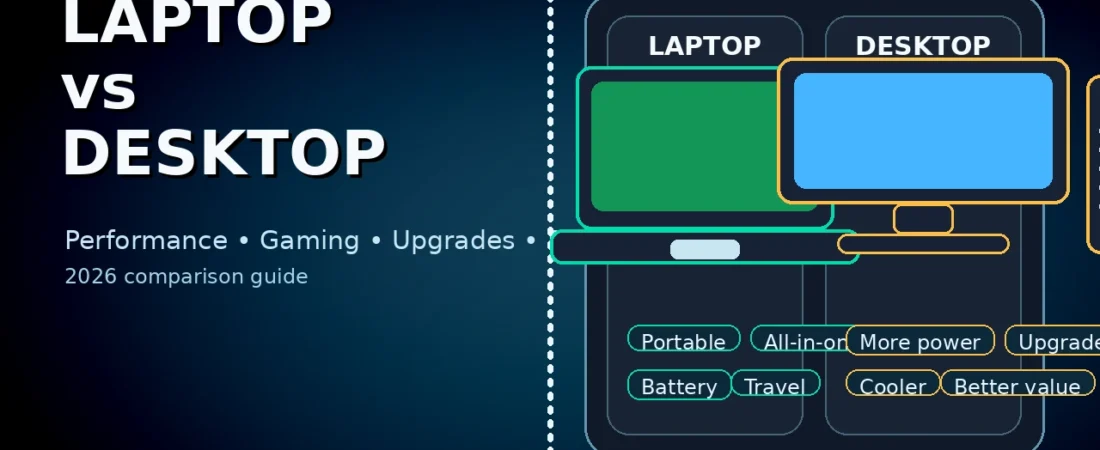
Laptop vs Desktop:
Table of Contents
Buying a new computer is easier when you stop chasing hype and start matching the machine to your real life. The laptop vs desktop debate isn’t about which is “better” in general—it’s about which is better for you: your budget, your space, your workload, and how often you move.
In this guide, we’ll compare laptops and desktops across performance, upgradability, gaming, study/work use, content creation, long-term cost, repairability, and portability. By the end, you’ll know exactly which option makes sense—and you’ll have a simple checklist to decide in minutes.
Quick answer (if you’re in a hurry)
- Choose a laptop if you need portability, work/study in different places, travel often, or prefer an all-in-one device.
- Choose a desktop if you want the best performance per money, easier upgrades, better cooling, and long-term value—especially for gaming or heavy workloads.
That’s the short version. Now let’s do the full laptop vs desktop breakdown.
1) Portability: the biggest difference
Portability is where the laptop vs desktop choice becomes obvious.
Laptops
A laptop is a complete computer you can carry—screen, keyboard, battery, speakers, webcam, and Wi‑Fi all included. If you study on campus, work in an office plus home, and move between rooms, a laptop fits naturally.
Desktops
A desktop is built to stay in one place. You can move it, but it’s not designed for daily travel. If your routine is mostly one desk, one room, one setup, a desktop is more practical.
Rule: If you genuinely need mobility at least 2–3 times per week, the laptop vs desktop decision usually leans toward the laptop.
2) Performance: what you get for the same money
For the same price, desktops usually offer more raw performance. This is one of the strongest arguments in the laptop vs desktop debate.
Why desktops are faster for the price
- Bigger cooling = higher sustained performance
- More power budget for CPU/GPU
- Full-size parts instead of low-power mobile versions
When a laptop can be “fast enough.”
If your tasks are:
- browsing + Office/Docs
- online classes + Zoom
- light programming
- basic photo editing
…then a mid-range laptop may feel just as fast as a desktop. Realistically, the difference shows up when you push:
- gaming at high FPS
- heavy video editing exports
- 3D rendering
- running virtual machines
S,o in laptop vs desktop, performance matters most for power users and gamers.
3) Upgrades: the long-term advantage of desktops
Upgradability is where the laptop vs desktop comparison strongly favors desktops.
Desktop upgrades (easy and flexible)
Most desktops let you upgrade:
- RAM
- storage (SSD/HDD)
- GPU
- CPU (within platform limits)
- cooling
- power supply
This means you can start with a modest build and improve it over time.
Laptop upgrades (limited)
Many laptops allow only:
- storage upgrades
- sometimes RAM upgrades (and many now have soldered RAM)
GPU and CPU upgrades are usually not possible. That’s why people who love “future proofing” often choosa e desktop in the laptop vs desktop decision.
4) Repairability and lifespan
Repairability affects how long your device stays useful. In laptop vs desktop, desktops usually win.
Desktops
- Parts are standard and replaceable
- Repairs are often cheaper
- You can fix one part instead of replacing the whole system
Laptops
- Compact design makes repairs harder
- Key components can be soldered
- Battery replacement may require professional service on some models
Practical tip: If you want a machine you can keep 5–7 years with upgrades and repairs, desktops often fit the laptop vs desktop goal better.
5) Gaming: the most common reason people choose desktops
Gaming is a major reason the laptop vs desktop argument exists.
Desktops for gaming
A desktop gaming setup is usually:
- cheaper for the same FPS
- easier to cool
- easier to upgrade
- more stable under long gaming sessions
Gaming laptops
Gaming laptops are great when you:
- have no space for a full setup
- move between home and hostel/office
- want one device for everything
But gaming laptops can run hotter and louder, and long sessions may reduce battery health over time.
Simple rule: If you game daily and care about best value, the laptop vs desktop decision often points to desktop.
6) Study and office work: what actually matters
For students and office users, the laptop vs desktop debate is mostly about comfort and routine.
Laptops for students
Laptops shine when you:
- Take notes in class
- work in libraries
- present projects
- do group work
A laptop is also easier for freelancing or internships because you can carry it.
Desktops for students
Desktops make sense when:
- You study mostly at home
- You want a big monitor for reading/writing
- You want a comfortable keyboard and posture
For long writing and research, a big screen can reduce eye strain.
Best hybrid option: Many students choose a laptop and add an external monitor/keyboard at home. This can give you the best of the laptop vs desktop experience.
7) Content creation: editing, design, and creative work
Creators care about sustained performance and screen accuracy. This is where laptop vs desktop becomes a “workflow” choice.
Video editing
- Desktops generally perform faster for the money.
- Laptops can edit well, but thermals and power limits matter.
If you edit occasionally, a good laptop is fine. If you edit daily, a desktop workstation often wins the laptop vs desktop productivity battle.
Graphic design
Designers often prefer:
- a color-accurate display
- large screen space
- stable performance
High-end laptops can be excellent here, but you can also build a desktop with a great monitor for less cost.
3D and rendering
Rendering benefits from:
- strong GPU
- sustained cooling
This usually makesdesktopsp more attractive in laptop vs desktop for heavy 3D workloads.
8) Battery life and power usage
Battery is an obvious win for laptops—but power usage is more nuanced.
Laptop battery
For students and travelers, battery life can be the deciding factor in laptop vs desktop. If you need 4–8 hours away from a plug, choose a laptop.
Desktop power
Desktops typically use more electricity during heavy loads (gaming/rendering). But idle/office usage can be reasonable, depending on hardware.
9) Price and total cost: what you pay over time
Many people compare only the sticker price. A smarter laptop vs desktop decision considers total cost.
Desktop costs can include
- monitor
- keyboard and mouse
- speakers/headset
- UPS (optional)
Laptop costs can include
- external mouse
- laptop stand
- external monitor (optional)
Key point: A desktop might look more expensive at first if you’re starting from zero, but it can be cheaper long-term because you can upgrade parts instead of replacing the whole system.
10) Comfort and ergonomics (health matters)
Ergonomics is underrated in the laptop vs desktop debate.
Laptops
Laptops encourage:
- looking down
- hunching
For long sessions, consider:
- a laptop stand
- external keyboard and mouse
Desktops
Desktops are easier to set up ergonomically:
- monitor at eye level
- full-size keyboard
- better posture
If you work/study 6–10 hours daily, comfort can be the deciding factor in laptop vs desktop.
11) Noise and heat
- Desktops usually run cooler and quieter because they have larger fans.
- Laptops can become loud under gaming or heavy tasks due to small fans.
,So in laptop vs desktop, if you hate fan noise, desktops often feel better in long sessions.
12) Space, setup, and lifestyle
Choose a laptop if
- you have limited desk space
- you share a room
- you move frequently
Choose a desktop if
- you have a dedicated desk
- you want a permanent setup
- you value comfort and expandability
13) Best choice by user type (real recommendations)
A) Students
Laptop if you need portability and campus work. Desktop if you study mostly at home and want big-screen comfort.
B) Office workers
Laptop if you commute or do hybrid work. Desktop if you work mostly from one location.
C) Gamers
Desktop if you want best FPS per money + upgrade path. Gaming laptop if you move a lot.
D) Creators
Desktop for heavy daily exports and 3D. Laptop for portable editing and on-the-go work.
E) Budget buyers
Desktop if you can buy a monitor and want maximum performance per money. Laptop if you need a complete package and mobility.
14) The buying checklist (decide in 60 seconds)
- Do you need portability weekly? → laptop
- Game heavily / heavy editing? → desktop value is stronger
- Want upgrades later? → desktop
- No dedicated workspace? → laptop
- Long sessions daily? → desktop or laptop + monitor
- Tight budget but want power? → desktop often wins
15) Best hybrid setup (my favorite recommendation)
If you’re stuck:
- Buy a laptop for portability
- Add a monitor + keyboard + mouse at home
This gives you portability + comfort—often the best solution for students and freelancers.
16) What to buy by budget (simple spec targets)
Budget level (basic study + office)
Aim for:
- RAM: 8GB minimum (16GB preferred)
- SSD: 256GB minimum (512GB preferred)
Mid-range (best value)
Aim for:
- RAM: 16GB
- SSD: 512GB
- GPU: optional (needed for AAA gaming/editing)
High-end (gaming + creator)
Aim for:
- RAM: 32GB for heavy multitasking/editing
- SSD: 1TB
- GPU: match your resolution and apps
17) Common buying mistakes (avoid these)
- Buying too little RAM
- Ignoring display quality
- Overpaying for portability you don’t use
- Forgetting accessories (chair/keyboard/monitor matter!)
18) Used market tips (safe checklist)
- Check battery health (for laptops)
- Stress test and watch temperatures
- Inspect ports, keyboard, trackpad, and display
- Confirm SSD health and RAM stability
Used desktops are easier to repair/upgrade; used laptops need more careful checks.
19) Final recommendation (one line)
If you move daily → Laptop
If you want best long-term power/value at home → Desktop
If you want both → Laptop + monitor setup at home
1) Laptop vs Desktop: Which is better in 2026?
A laptop is better if you need portability and study/work in different places. A desktop is better if you want higher performance, easier upgrades, and better long-term value.
2) Is a desktop faster than a laptop?
Usually yes. Desktops have better cooling and more power headroom, so they sustain higher performance—especially in gaming and heavy workloads.
3) Which is better for students: laptop or desktop?
Most students should choose a laptop for portability. If you study mostly at home and want comfort (big screen + better posture), a desktop can be a great choice.
4) Which is better for gaming: laptop or desktop?
A desktop is usually better because it gives more FPS per money and better cooling. A gaming laptop is better if you move often and still want to game.
5) Can I upgrade a laptop like a desktop?
Not fully. Many laptops allow SSD upgrades and sometimes RAM upgrades, but CPU/GPU upgrades are usually not possible. Desktops are far more upgrade-friendly.
6) What lasts longer: laptop or desktop?
A desktop usually lasts longer because you can replace/upgrade parts. Laptops can last long too, but repairs and upgrades are more limited.
7) Which is better for video editing and content creation?
For serious editing and exports, a desktop often performs better due to sustained power and cooling. For portable editing and basic projects, a laptop can be enough.
8) Is a laptop good for office work and freelancing?
Yes. For office work, freelancing, and learning, a laptop is excellent—especially if you need flexibility and travel.
Some other GEEKMATREX Guides:
Intel vs AMD in 2026: Which CPU Is Better for Gaming, Work, and Budget Builds?
Android Optimization in 2026: Make Any Phone Faster, Smoother, and More Battery-Friendly
How to Remove Bloatware Safely on Android (No Root) — 2026 Step‑By‑Step Guide