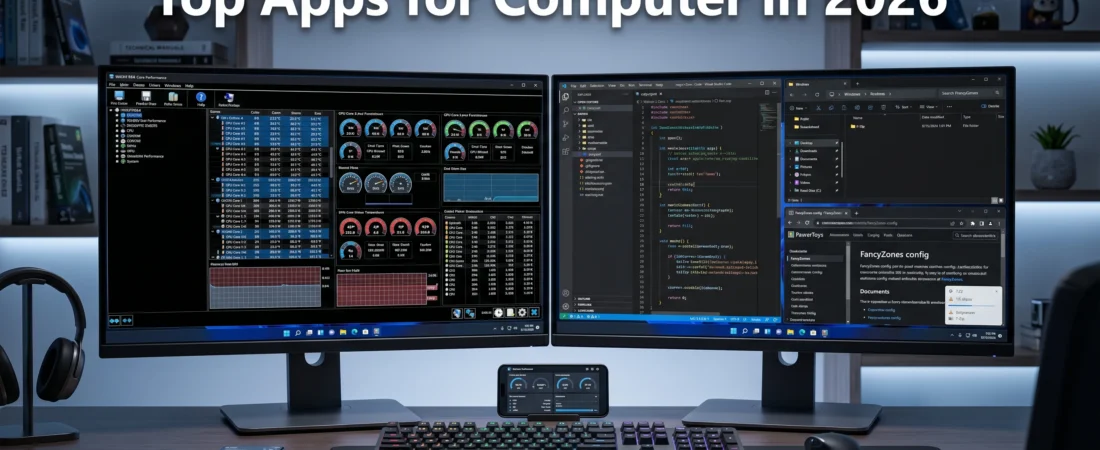
Apps for Computer:
Table of Contents
A brand-new operating system installation or a newly built PC is clean and fast, but it is fundamentally limited without the right software toolkit. To transform your desktop into an absolute powerhouse for coding, studying, or hardware optimization, you need the right applications running in the background.
With dozens of utility programs hitting the market, separating bloated adware from genuine performance enhancers can be difficult. This comprehensive guide reviews the definitive apps for computer installations in 2026, focusing on tools that boost system speed, enhance workflow management, and unlock deep OS personalization.
1. Core Hardware Monitoring & Thermal Control
When handling heavy computing tasks, keeping a close eye on system hardware parameters prevents thermal throttling and structural hardware wear.
HWiNFO64
For pure hardware diagnostics, HWiNFO64 remains the absolute industry gold standard. It reads over 500 internal system sensors simultaneously.
- Why it’s essential: It provides real-time, highly granular readouts of your CPU core temperatures, GPU hotspot temperatures, individual VRAM thermal performance, and fan speeds.
- Use Case: Essential to run in the background after reassembling a PC or applying fresh thermal paste to ensure your cooling bracket is making perfect contact. You can grab the latest portable or installer build directly from the Official HWiNFO Download Page.
MSI Afterburner
The premier utility for graphics card management. Beyond its standard frame-rate overlay features via RivaTuner, it allows you to build custom fan curves to lower GPU temperatures safely under heavy load cycles.
2. Advanced System Maintenance & Uninstallation
The default Windows uninstaller is notoriously sloppy, frequently leaving behind orphaned folder trees and corrupted registry keys that degrade system performance over time.
Revo Uninstaller
Revo runs an automated post-uninstall scan that unearths deeply buried registry paths and app data junk files.
- The Technical Edge: Its “Forced Uninstall” module can target stubborn, pre-installed bloatware packages that traditional system frameworks refuse to remove, keeping your storage drive light and responsive.
3. Power User Productivity Utilities
Microsoft PowerToys
An open-source collection of system utilities developed directly for power users.
- FancyZones: Allows you to create explicit layout grids across your monitors. Holding a modifier key lets you snap code windows, web browsers, and text files into perfect pixel boundaries instantly.
- PowerToys Run: A lightning-fast quick-launcher tool that replaces default search parameters, opening applications or calculating math operations with a quick shortcut.
The complete suite is open-source and maintained live. You can check the documentation or install it via the official Microsoft PowerToys Guide on Microsoft Learn.
Everything (by Voidtools)
The default OS search index is slow and resource-heavy. Everything replaces it entirely, creating a real-time index of your entire NTFS storage drive. Typing any string locates your hidden script files or missing PDFs instantly without causing memory lag.
4. Core Media and File Architecture
VLC Media Player
No modern machine setup is complete without VLC. It handles 8K video streaming, direct hardware acceleration decoding, and supports virtually every codec format known without requiring third-party plugins. You can inspect its structural architecture or download it directly from the VideoLAN Organization Official Repository.
7-Zip
A completely free, open-source file archiver that provides significantly higher compression ratios than standard ZIP or RAR formats. It utilizes multi-threaded processing to compress vast project directories rapidly.
| Application Name | Primary Utility Category | License Type | Core Technical Benefit |
| HWiNFO64 | Hardware Monitoring | Free | Tracks CPU/GPU thermal limits |
| Revo Uninstaller | System Cleanup | Free / Paid | Wipes residual registry bloat |
| PowerToys | Workflow Productivity | Open Source | Advanced window tiling & shortcuts |
| Everything | File Indexing | Free | Instant, zero-lag local file searching |
Do system optimization apps for computer configurations cause slowdowns?
They can if you run generic, automated “one-click PC cleaners” that sit constantly in your system tray and consume RAM. However, lightweight, specialized utilities like Everything or HWiNFO64 use negligible resources and only run actively when called upon, protecting system speed.
Can I use these apps on Windows 11 safely?
Yes. All the programs listed in this guide are fully optimized for Windows 11 architectures, supporting modern layout snapping, updated driver interactions, and security protocols.
Why should I use 7-Zip instead of the built-in Windows ZIP tool?
The native Windows extraction utility is single-threaded and notoriously slow with large archives. 7-Zip takes full advantage of multi-core processors, compressing and extracting source files exponentially faster while supporting advanced encryption keys.
Some Other GeekMatrex Posts:
Matrix Calculation Apps for Computer Science Students: 2026 Reviews
Stop Using Game Boosters: Why Process Lasso is the Only Tool You Need (2026 Guide)
PC Fan Loud Idle Fix: 5 Data-Driven Steps to Silence Your Rig
Best Android Apps for Students (2026): The Ultimate Study Toolkit (30 Apps + How to Use Them)