Path tracing GPU temperature:
Table of Contents
You boot up a next-gen title like Cyberpunk 2077 or Alan Wake 2. You navigate to the graphics settings, take a deep breath, and toggle “Path Tracing” to ON.
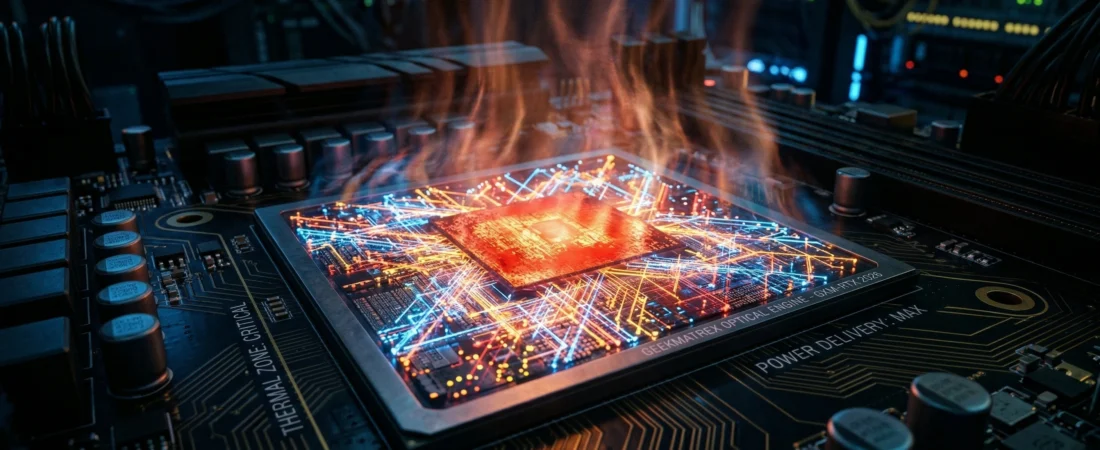
Instantly, two things happen. First, the game looks unbelievably photorealistic. Second, your PC’s fans ramp up to 3,000 RPM, your room gets noticeably hotter, and your monitoring software warns you that your graphics card is sitting at a blistering 85°C.
Gamers often complain that developers need to “optimize” path tracing so it stops overheating their hardware. But this assumes the heat is a software bug. It isn’t.
At GeekMatrex, we look past the game code and directly at the hardware physics. Today, we are breaking down the applied thermodynamics and optical mathematics of real-time light simulation to explain exactly why your GPU is melting.
Section 1: Rasterization (The Art of Faking It)
To understand the thermal load of path tracing, we have to look at how GPUs used to render games. For the last 30 years, 3D graphics relied on Rasterization.
Rasterization is essentially a geometric magic trick. The GPU takes 3D vector shapes (polygons) and squashes them flat onto your 2D monitor. To create shadows, the game doesn’t actually simulate light. Instead, the developer pre-bakes “shadow maps” into the textures.
Because rasterization is just projecting geometry and coloring in pixels based on predetermined rules, it is computationally lightweight. Your GPU doesn’t have to “think” about how light behaves; it just follows the developer’s script.
Section 2: Path Tracing (The Rendering Equation)
Path tracing throws the script out the window. It attempts to simulate the actual, physical behavior of light in the real world.
When you turn path tracing on, your GPU stops faking it and starts solving variations of the Rendering Equation for millions of pixels, simultaneously, 60 to 100 times per second:
$$L_o(x, \omega_o) = L_e(x, \omega_o) + \int_{\Omega} f_r(x, \omega_i, \omega_o) L_i(x, \omega_i) (\omega_i \cdot n) d\omega_i$$
Don’t let the calculus intimidate you. This equation simply states that the light leaving a specific point ($L_o$) is equal to the light emitted by that point ($L_e$), plus the sum of all light bouncing into that point from every other direction in the hemisphere ($\Omega$).
To solve this, your GPU shoots virtual photons (rays) out of your digital camera, tracks them as they hit a surface, calculates how the specific material (like wet asphalt or matte wood) scatters the light, and tracks the ray as it bounces to the next surface.
This requires staggering amounts of simultaneous matrix multiplications.
Section 3: The Physics of Heat (Joule Heating)
So, why does solving optical calculus make your room hot? When you’re grinding through university-level physics coursework, you learn quickly that energy doesn’t just disappear. It transforms.
Inside your graphics card are billions of microscopic transistors. To solve the Rendering Equation, your GPU utilizes specialized hardware (like NVIDIA’s RT Cores) to process the ray intersections. As these cores grind through the matrix math, billions of transistors must switch states (from 0 to 1) at billions of times per second (Gigahertz).
Every time a transistor flips, a tiny amount of electrical current passes through the silicon. Silicon is a semiconductor; it has electrical resistance. When current flows through a resistor, you get Joule Heating.
This is governed by the fundamental power dissipation formula:
$$P = I^2 R$$
(Where P is power/heat generated, I is the electrical current, and R is the resistance of the silicon).
Path tracing forces 100% utilization of the RT cores, the Tensor cores (for AI denoising), and the standard CUDA cores simultaneously. It demands maximum voltage and maximum current ($I$) drawn from your power supply.
Because the current is squared in the Joule Heating formula, this massive electrical draw results in an exponential explosion of thermal energy ($P$).
Section 4: The Hardware Bottleneck
Your graphics card is essentially a massive space heater that happens to do math.
When your GPU hits 85°C, it hasn’t failed. It is performing exactly as the laws of physics dictate. To prevent the silicon from physically melting, the GPU’s firmware kicks in and enforces Thermal Throttling. It intentionally starves the chip of voltage, slowing down the clock speeds to reduce the heat output.
This is why your frame rate suddenly drops from 60 FPS to 45 FPS after 20 minutes of playing.
Conclusion: Respect the Silicon
The next time you toggle Path Tracing to “Overdrive” and hear your fans screaming, don’t blame the game developers for poor optimization.
Take a moment to respect the engineering. Your graphics card is drawing hundreds of watts of electricity to mathematically simulate the fundamental properties of optics and electromagnetism, all in real-time, just so the neon signs in Cyberpunk 2077 reflect perfectly in a puddle.
High temperatures aren’t a bug; they are the unavoidable thermodynamic cost of simulating reality.
What is the highest temperature your GPU has hit while path tracing? Drop your GPU model and your peak thermals in the comments below so we can see which cards are surviving the heat in 2026!
Some other GEEKMATREX Guides:
The Ring 0 Conflict: Kernel-Level Anti-Cheat Explained (and Why Your PC Crashes)
Is Process Lasso Safe? The Truth About Bans, Viruses, and System Stability (2026 Review)
Stop Using Game Boosters: Why Process Lasso is the Only Tool You Need (2026 Guide)
Stop Your Phone Overheating: The Technical Guide to Fixing Android AI Battery Drain Fix (2026)
Stop CPU Core Parking: How to Unlock Ultimate Performance Windows 11 (Free Tool)
Intel vs AMD in 2026: Which CPU Is Better for Gaming, Work, and Budget Builds?
Android Optimization in 2026: Make Any Phone Faster, Smoother, and More Battery-Friendly
How to Remove Bloatware Safely on Android (No Root) — 2026 Step‑By‑Step Guide